
All good things come to an end
iShowU, iShowU HD / HD Pro and Stomp have been retired
Where did the old apps go?
iShowU, iShowU HD/HD Pro and Stomp were retired early 2018. Looking back over the old ‘family' album, iShowU was born in 2006 and it developed quickly over the next year. After that came Stomp and then iShowU HD. These were my first “real” products on the Mac. It was an amazing time. It’s now 2017 and in computer years, that’s ancient.
They’re now like some of our dear grandparents: showing some weird quirks (when on modern mac’s), and becoming increasingly difficult to keep up to date. They’re all built on old tech, old API’s … many of which have been deprecated since … oh, about OS X 10.7 actually. So I’ve made the difficult decision to find a retirement village for iShowU, iShowU HD/HD Pro and also Stomp.
the new apps are ready to rock!
Not sure which to choose?
iShowU Instant The closest match to iShowU and iShowU HD. Records from the screen in 'realtime', so that when you press stop, you've got a movie file that is immediately usable. It's simple and fast.
iShowU Instant + Advanced Features The closest match to iShowU HD Pro. It adds to iShowU Instant with recording from iOS, multichannel audio recording, enhanced visualizations, simple video editing, audio filters and more.
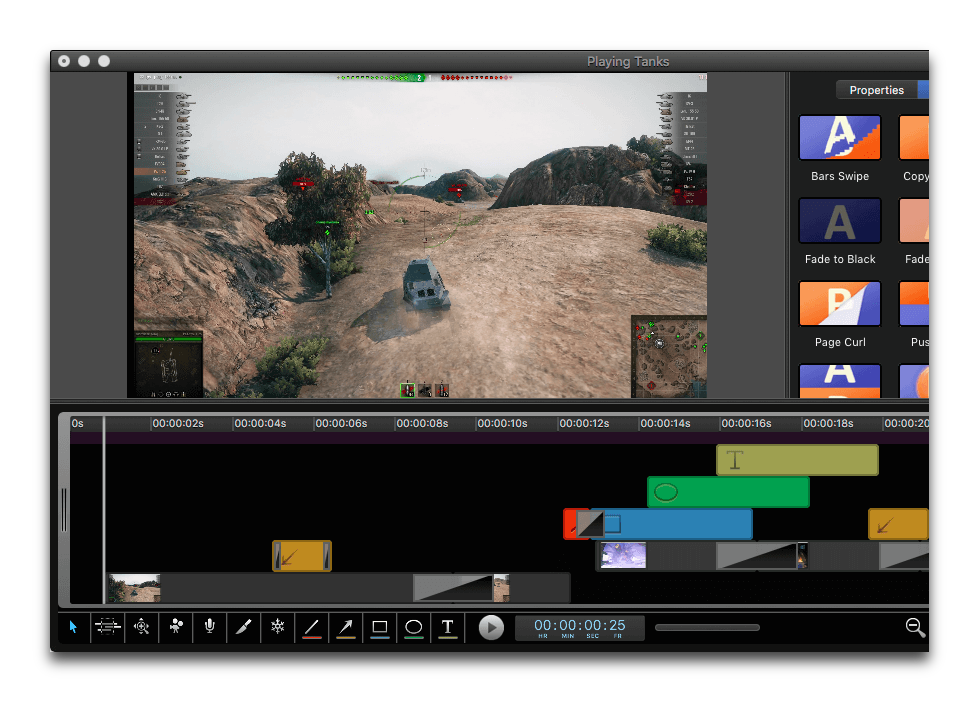
iShowU Studio 2 A different kind of app to the previous (none of the previous apps let you edit). Studio 2 provides a full post-recording editing suite, with text & annotation tools, layered tracks, transitions and more. It's a good fit if you need to cut out mistakes, add in additional clips, freeze frame or use pan/zoom effects to highlight sections.
Thank you for using our products and I hope I have provided enough detail below to help you make a decision!

1. iShowU Instant
Simple recording, no fussIf you want to make quick recordings that can be used immediately, just like the original iShowU and iShowU HD, this is a great choice.
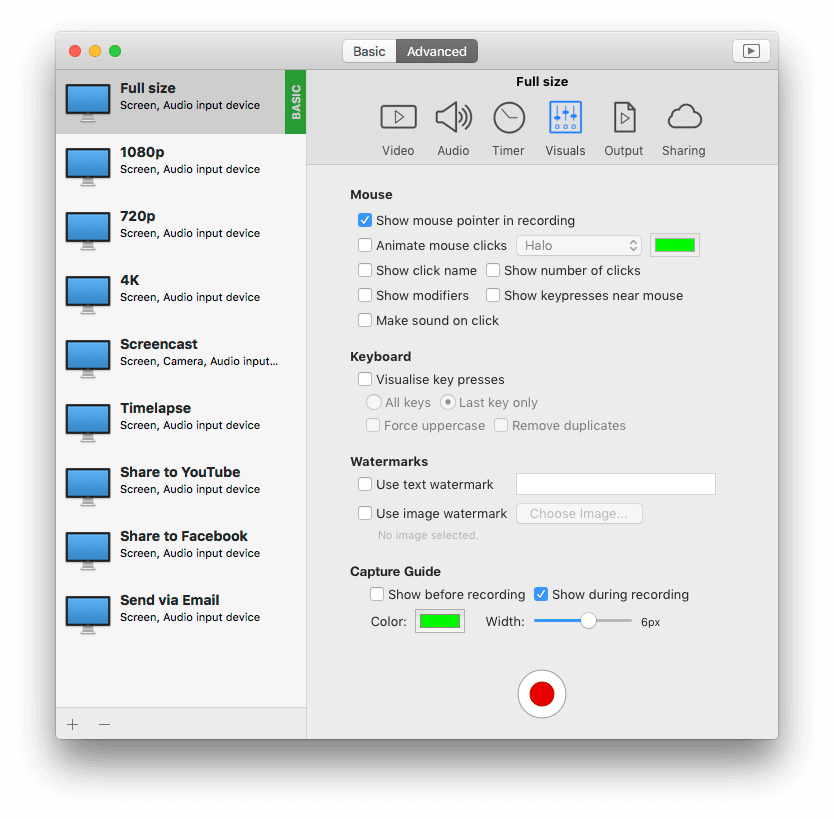
A streamlined UI that is easy to use. Built in presets let you get started immediately, with a more "advanced" UI available at the click of a button if you need to change other options.

2. iShowU Instant & Advanced Features
All the features, all the powerThe closest match to iShowU HD Pro.
The same great recording speed of iShowU Instant, with all the advanced features.
Audio filters & EQ, record iOS, multi channel audio recording, better visualizations, overlay images, enhanced keyboard visualization... the list goes on.
Simplicity
Built with normal non-technical people in mind. Choose from two UI's, and switch between them whenever you like.
More than the screen
Supports recording of your Mac camera, picture in picture or full screen.
Visualizations
Automatically provides mouse and keyboard visualizations, letting you craft recordings and are easier for your viewers to understand.
Capture iOS
Can record from iOS directly, letting you create app demos with ease.
Timers
Set it up beforehand then go do something else. iShowU supports both start & stop timers letting you schedule recordings at any time.
Any Mac, Anytime
Works great on anything from a MacBook through to Mac Pro, running Mojave or later.
3. iShowU Studio 2
Simple recording, easy editing, awesome results.If you want to edit after you've made your recording, trim parts out or highlight important points, this is a great choice.
Add shapes, boxes arrows and text to better draw the users attention to important areas of the screen. Overlay other movies, and use transitions to create seamless blends.
Includes iOS recording, camera recording and multi screen support.